menuMistho
banner

Mistho update | Configuration APIs

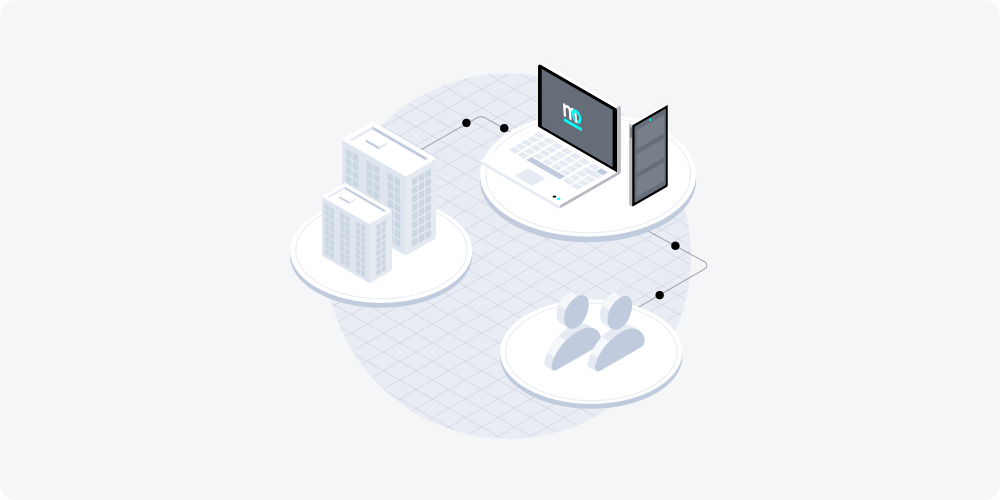
Our team worked on enabling more configuration for the Mistho APP and for its functions. In short, our clients have the ability to configure the APP to their user experience (UX) and business needs through the Mistho Dashboard and through Configuration APIs - thus enabling flexibility for multiple applications across various user journeys, products and other use-cases.

What is an API?

An Application Programming Interface, aka API, is a software intermediary that allows two applications to communicate with each other. In Mistho’s case it allows customers to share their income data, with their consent, safely and intuitively with financial intermediaries such as a bank or a mortgage broker.

In short, API is like a bike messenger that transfers information from one entity to another.

Mistho is an API-first company, meaning that all of our solutions and services, our scope and mission revolves around APIs. Mistho essentially connects past, current and future infrastructures, thus creating a sustainable and scalable information system.

Mistho configurations

Besides constantly improving Mistho’s coverage and reliability, our team worked on enabling more configuration for the Mistho APP and for its functions.

In other words, our clients have the ability to configure the Mistho APP to their user experience (UX) and business needs through the Mistho Dashboard and through Configuration APIs - thus having the flexibility to use Mistho through different stages of their user journeys, products and/or use-cases. Both supports multiple configurations for wider use-cases.

Below you will see a breakdown of how our clients can use these new features in the best way.

User experience (UX) configurations

  • Upload your own logo that will be displayed by the Mistho APP that is related to that specific configuration
  • Set and define custom redirection URL’s where your customers (end-users) will be led in different cases (success or failed)
  • Define the callback URL you would like to receive the response data for transactions related to that specific configuration
  • Each configuration has its own ID, therefore will help you to route your customers (end-users) through different flows
  • Customize the name that is displayed in our intro text

Business configurations

  • Choose how many months of payslips you require for a configuration (e.g. for pre-screening stages you require only one month’s payslip, but for post-sales stages you require 6 month’s of payslips)
  • Activate or deactivate the manual upload for a configuration - in case one of your use cases require it
  • Uploading different logos will help you include different branches / Point of Sales for you or your customers

Configuration endpoints

Besides enabling wider configuration within the Mistho Dashboard, we also enabled this for clients who wish to integrate Mistho with their solution (SaaS providers) through APIs.

Creating a configuration can now be integrated into your own back-office / operations / onboarding flow, helping you to set-up various channels where you need to route your or your clients end-users.

You can get a list of all your current configurations in case you want to display them in your own Dashboard. Each configuration has its own unique ID that you can use to identify them.

Update and change the configurations immediately based on your needs.

Delete any configuration that you would like to or need to.

We are planning to introduce new features to our solution as we move forward. Soon our clients will be able to fully personalize our API to their own needs such as the granularity of the payslip information.

For more information about our Mistho’s Configuration click here.
Related Posts

Banner
Product

Navigating the Legal Landscape: User-Permissioned Scanning in the UK

At Mistho, we are excited to work on the frontier of both technological and legal innovation. Recently, we have seen more and more misinformation created in the market, essentially trying to discredit one of the best technologies available to implement basic consumer data rights with the goal of creating or sometimes maintaining data oligopolies for income and employment information existing in the market today. As a result, we are now sharing our perspective more openly to enable all market participants to gain a clear picture of the legal landscape around user-permissioned scanning (sometimes called screen scraping).  In an era where data is akin to digital gold, scanning —the process of extracting data from a website's interface— with the explicit consent from the user is the easiest way for them to make use of their right to data portability. In the United Kingdom, this practice is governed by a complex web of laws and regulations, including the Computer Misuse Act, the Data Protection Act, Copyright Law, and the General Data Protection Regulation (GDPR), as well as considerations under contract law. This article embarks on an explorative journey to dissect these legal frameworks, aiming to illuminate the legality of user-permissioned scanning under specific conditions: obtaining the necessary consents, ensuring user rights to access their own data, and the non-storage of credentials. Of course, this is not legal advice, but is based on our years-long experience working with some of the best law firms in the field.

Maximilian Czymoch

5 min read

Banner
Product

The Crucial Role of Competition in the Income and Employment Verification Services Industry

We have recently seen a variety of uncompetitive tactics being employed in our industry to either create or sustain existing oligopoly structures. This has ranged from straight out falsehoods being communicated to the market, leveraging associations or similar to fight proxy battles and outright threats being made by competitors often fuelled by a lack of own product capability or confidence.

Maximilian Czymoch

6 min read

Banner
Product

Navigating the Legal Landscape: User-Permissioned Scanning in the UK

At Mistho, we are excited to work on the frontier of both technological and legal innovation. Recently, we have seen more and more misinformation created in the market, essentially trying to discredit one of the best technologies available to implement basic consumer data rights with the goal of creating or sometimes maintaining data oligopolies for income and employment information existing in the market today. As a result, we are now sharing our perspective more openly to enable all market participants to gain a clear picture of the legal landscape around user-permissioned scanning (sometimes called screen scraping).  In an era where data is akin to digital gold, scanning —the process of extracting data from a website's interface— with the explicit consent from the user is the easiest way for them to make use of their right to data portability. In the United Kingdom, this practice is governed by a complex web of laws and regulations, including the Computer Misuse Act, the Data Protection Act, Copyright Law, and the General Data Protection Regulation (GDPR), as well as considerations under contract law. This article embarks on an explorative journey to dissect these legal frameworks, aiming to illuminate the legality of user-permissioned scanning under specific conditions: obtaining the necessary consents, ensuring user rights to access their own data, and the non-storage of credentials. Of course, this is not legal advice, but is based on our years-long experience working with some of the best law firms in the field.

Maximilian Czymoch

5 min read

Banner
Product

Navigating the Legal Landscape: User-Permissioned Scanning in the UK

At Mistho, we are excited to work on the frontier of both technological and legal innovation. Recently, we have seen more and more misinformation created in the market, essentially trying to discredit one of the best technologies available to implement basic consumer data rights with the goal of creating or sometimes maintaining data oligopolies for income and employment information existing in the market today. As a result, we are now sharing our perspective more openly to enable all market participants to gain a clear picture of the legal landscape around user-permissioned scanning (sometimes called screen scraping).  In an era where data is akin to digital gold, scanning —the process of extracting data from a website's interface— with the explicit consent from the user is the easiest way for them to make use of their right to data portability. In the United Kingdom, this practice is governed by a complex web of laws and regulations, including the Computer Misuse Act, the Data Protection Act, Copyright Law, and the General Data Protection Regulation (GDPR), as well as considerations under contract law. This article embarks on an explorative journey to dissect these legal frameworks, aiming to illuminate the legality of user-permissioned scanning under specific conditions: obtaining the necessary consents, ensuring user rights to access their own data, and the non-storage of credentials. Of course, this is not legal advice, but is based on our years-long experience working with some of the best law firms in the field.

Maximilian Czymoch

5 min read